MONOPOLY Solitaire: Card Games
- 4.0
- Rating
- 5.00M
- Installs
- Free
- Price

 Analysis by App-foxy
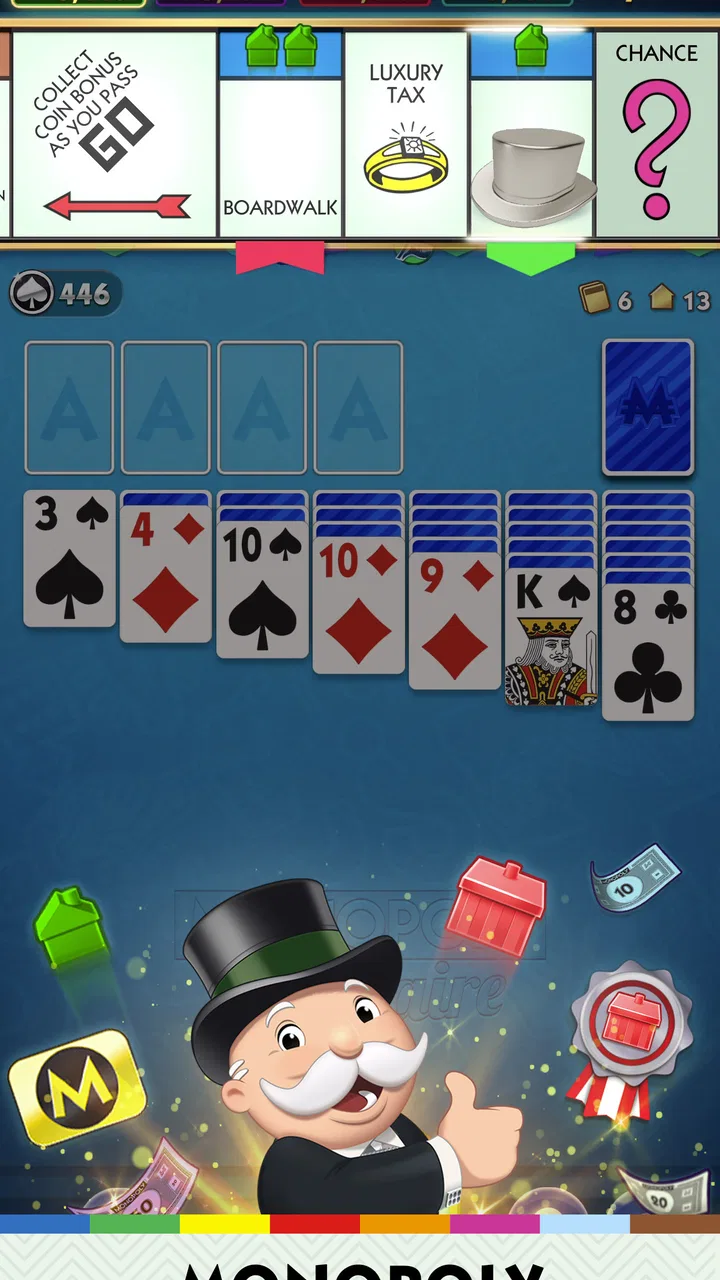
I enjoy card games most when they are easy to start but still give me a reason to play one more round. MONOPOLY Solitaire: Card Games takes that familiar patience-style format and places it inside a Monopoly-themed progression. You clear solitaire layouts, roll dice, move around a board, and collect rewards for passing Go. That combination makes it feel more purposeful than a plain deck of cards, although it also adds extra layers that will not appeal to everyone.
I reviewed it as a free card game from MobilityWare, and my first impression was that it is aimed at casual players rather than serious competitive card fans. The central play is recognizable, the presentation is approachable, and the Monopoly connection gives each short session a little more direction. At the same time, players who prefer a quiet, traditional solitaire table may find the board-game wrapper distracting.
How the game feels in everyday play
I find the day-to-day appeal lies in how a familiar solitaire hand gains a small destination beyond clearing the cards. The extra board layer can make a brief pause feel more complete, though I’d keep my own stopping point in mind so rewards don’t turn a quick break into a longer session. That balance is what makes the game’s play rhythm worth looking at next.
You May Also Like

 Blood Strike: 2.5 Anniversary
Blood Strike’s Loadouts Turn Every Drop Into a Tactical Gamble
A close look at Blood Strike’s custom loadouts: how fast access to signature weapons reshapes its battle royale rhythm, rewards preparation, and narrows the gap between fights.

 Pandora - Music & Podcasts
Pandora’s Music Is Easy to Start, but Harder to Recover
Pandora’s strength is its low-effort path from a seed to a station. Its weak spot is how much confidence it asks you to place in connection, setup, and quiet recovery.

 8 Ball Pool
 Is Built on Rivalries, Rematches, and Routine
A close look at the rivalries, rematches, shared routines, and unanswered safety questions that turn a quick pool match into a persistent mobile community.

 Samsung Music
’s Quiet Strength Is Playing What You Already Own
Its reach comes less from spectacle than from dependable access to a personal library. That simplicity is both the app’s strongest retention engine and its ceiling.

 AccuWeather: Weather Radar
AccuWeather Review: A Quick, Clear Forecast for Everyday Decisions
For everyday plans, the best forecast is the one you can understand quickly. AccuWeather makes rain timing, radar, and local conditions easy to act on, with a few trade-offs.

 Hill Climb Racing
Why Hill Climb Racing Still Turns Crashes Into One More Run
A tiny car, a bumpy hill and one more upgrade: Hill Climb Racing keeps resurfacing because its simple chaos makes every near-miss feel personal.
More From Our News Desk



Quick starts, but not quite a bare-bones solitaire experience
The strongest part of the design is how quickly I can understand what to do. A solitaire hand gives me the familiar task of uncovering cards and building sequences, while the dice and board provide a second reason to continue. I do not need to learn a complicated ruleset before playing, which makes it suitable for a short break, a commute, or a few minutes before bed.
Compared with a standard solitaire app, this version feels more like a light progression game. The card layout remains the activity I spend most of my time on, but the Monopoly theme gives the session a destination. That extra structure can help when ordinary solitaire starts to feel repetitive. It also means the experience is less minimalist: menus, rewards, movement around the board, and other presentation elements sit around the card table.
In my experience, the perceived speed depends less on the card mechanics and more on how much of the surrounding progression I choose to follow. If I focus on the hand itself, a round feels easy to enter and leave. If I stop to inspect rewards or board movement, the rhythm becomes more segmented. That is not necessarily a flaw, but it matters if you want an uninterrupted card game.
A realistic use case for short sessions
Imagine having a ten-minute wait before an appointment. This is where the game makes sense to me. I can open it, play through a hand, and stop without needing to arrange a multiplayer match or remember a long campaign. The board movement gives the session a small sense of completion, even when I have only played briefly.
For longer sessions, the same structure can work differently. The rewards and themed progression encourage continued play, but the repeated solitaire format may eventually feel familiar. I would use it as a regular casual filler rather than as my only game. If I wanted deep strategic variety, I would switch to a more specialized card title.
What happens during heavier play
The most demanding moments are likely to come when a player moves quickly between card hands, reward screens, dice rolls, and board progression rather than staying on one static layout. Those transitions create more activity than classic solitaire alone. From a user perspective, that means the game feels busier during extended sessions than its simple card rules suggest.
I would also expect longer play to make resource use more noticeable on an older phone, especially if the device already has limited free space or several other apps open. I cannot responsibly turn that into a precise battery or memory claim, but the practical advice is straightforward: close unnecessary background apps if the game begins to feel less responsive, and keep the operating system within its supported range.
The free entry point is helpful here. I can test whether the pace and presentation suit me before spending anything. However, optional purchases range from $0.99 to $99.99 per item, so I would treat the reward economy carefully. The low end may feel harmless, while repeated purchases can change the cost of what initially looks like a simple casual pastime.
Stability and recovering from interruptions
A mobile game is judged not only by how it starts, but also by how well it handles ordinary interruptions. A phone call, a switch to another app, or a brief loss of attention is common during the kind of short sessions this game encourages. I would make a habit of finishing a visible action before leaving the screen, particularly during a transition between the card table and the board.
That is less about claiming a specific technical behavior and more about sensible mobile use. Any game with several connected steps can feel more confusing if it is reopened in the middle of a transition. If a session does not appear to resume as expected, I would first return to the game normally, check whether the current hand or board state has settled, and avoid repeatedly tapping while the screen is loading.
The title has a broad audience, reflected in its Everyone content rating, but that does not automatically make every part equally comfortable for every player. Younger users may understand the cards quickly, while adults should still pay attention to the in-app purchase range before handing over a device. The safest approach is to decide in advance whether purchases are part of your use at all.
Device requirements and practical expectations
The game supports Android 8.0 and later. That gives it a relatively accessible starting point for Android owners who are not using the newest hardware. Still, an operating-system requirement is not the same as a guarantee of identical performance on every supported phone. A newer device will generally give a more comfortable experience when several screens and animations are involved, while an older model may benefit from keeping storage and background activity under control.
I would not choose this title specifically for a very low-end device without first trying the free version. The card rules themselves are lightweight from a player’s point of view, but the surrounding Monopoly presentation means it is not just a static deck on a blank screen. If your phone already struggles with modern games, the plainest solitaire alternative may be a safer choice.
The current version is 2025.3.8.7316, so users should keep the installed build reasonably current when possible. Updates can matter for compatibility and recovery even when the visible card rules have not changed. I also recommend leaving some free storage available rather than treating the minimum operating-system version as the only device consideration.
Learning the progression without wasting a session
One useful habit is to separate the card decision from the reward decision. During a hand, I would concentrate on uncovering cards and preserving useful moves instead of tapping quickly just because a reward is waiting afterward. Once the hand is complete, I can review the board movement and decide whether I actually want to continue.
This small separation helps prevent the themed layer from taking over the solitaire layer. It is especially useful for players who enjoy card puzzles but are less interested in collecting or progressing. The game becomes easier to manage when I treat the board as a bonus framework rather than as a reason to rush through every hand.
Another practical tip is to use the game’s short-session nature to your advantage. Rather than opening it with the expectation of a long marathon, I would play until a natural stopping point, such as the end of a hand or a completed board action. That approach reduces the feeling that the reward system is dictating my schedule.
How it compares with traditional alternatives
Traditional solitaire apps are usually better for a clean, focused experience. They tend to put the cards first and leave out the extra board-game identity. If I want to relax with minimal visual noise or practice the basic format without a themed progression, I would choose one of those alternatives instead.
On the other hand, this game has a clear advantage for players who need a little motivation to return. Rolling dice and moving through a Monopoly-style board gives the familiar card activity a sense of movement. It is not deeper card strategy, but it is a different kind of engagement. The best choice depends on whether you want solitaire as a quiet puzzle or as part of a larger casual loop.
It also differs from multiplayer card games. There is no need to wait for opponents or match your schedule to another person’s. That makes it more convenient for solo play, but it also removes the tension and unpredictability that come from competing with real players. I would recommend it to someone who wants control over the length and timing of each session, not to someone looking for a social card table.
Who will enjoy it most
This is a good fit for a player who already likes solitaire and enjoys light rewards, recognizable themes, and a reason to keep clearing hands. It works particularly well for casual users who want something more directed than an endless sequence of unrelated deals. The free price makes trying it straightforward, provided you are comfortable managing optional purchases.
I would be more cautious about recommending it to someone who dislikes in-app economies or finds board-game branding unnecessary. The game’s identity is built around combining solitaire with Monopoly-style movement, so that layer is not something to ignore. Players seeking advanced card strategy, a serious competitive environment, or an extremely stripped-down interface should look elsewhere.
The public response suggests a substantial audience, with an average rating of 4.0 from around 61 thousand ratings and more than 5 million installs. I see that as evidence that the basic concept has broad appeal, not as proof that every player will enjoy the same balance between cards and progression. The rating is solid rather than exceptional, which matches my view: enjoyable and accessible, but not universally ideal.
Cost, age suitability, and everyday control
Because the game is free, the main financial question is not whether I can begin, but whether I am willing to engage with purchases later. The available items span from $0.99 to $99.99 each. I would recommend turning on purchase safeguards or agreeing on a clear spending limit before letting a child use the game, even though the content rating is Everyone.
For adults, the same advice applies in a different way. Reward-driven games can make small purchases feel like part of the routine, especially when a player is trying to finish a board objective. I prefer to play it as a free title first and judge whether the core card experience remains satisfying without paying. If it does not, spending more is unlikely to fix the underlying mismatch.
Where the design can create friction
The biggest limitation is that the game may not feel as immediate as classic solitaire. A player who wants to deal, play, and leave may find the board and reward structure adds pauses. Those pauses are part of the appeal for some users, but they can interrupt the calm rhythm that makes solitaire attractive in the first place.
There is also a trade-off between familiarity and novelty. The cards are approachable because the format is well known, yet that familiarity can limit long-term excitement for experienced solitaire players. The Monopoly theme supplies variety around the hand, but it does not transform the underlying card puzzle into a completely new strategy game.
Performance expectations should be similarly realistic. The game is designed for supported Android phones, including devices running Android 8.0 or newer, but support does not promise identical smoothness across every model. If quick loading and low resource demand are your top priorities, test it on your own phone before committing to extended sessions.
My final assessment after using it
I see MONOPOLY Solitaire: Card Games as a friendly middle ground between plain solitaire and a more structured casual game. Its best idea is the connection between clearing cards and moving through a themed board. That connection gives short sessions a satisfying endpoint and makes the familiar format easier to revisit.
Its weaknesses are equally clear. The extra progression can make the experience feel less pure, and the purchase range deserves attention. Longer sessions may also expose the difference between a simple card table and a game with several surrounding systems. I would not recommend it as a replacement for every kind of solitaire, especially if you prefer silence, simplicity, or deeper card challenge.
Still, I would recommend giving it a try if you want a solo card game that feels more active than a traditional deck. MobilityWare has made the entry point approachable, the age rating is Everyone, and the free download lets you decide without an upfront cost. My verdict is positive for casual players who enjoy themed progression, with one condition: treat the board and purchases as optional extras, and judge the actual card play on its own.
FAQs for MONOPOLY Solitaire: Card Games
01What is MONOPOLY Solitaire: Card Games?
MONOPOLY Solitaire combines the classic card game Solitaire with elements of the beloved MONOPOLY board game. Players progress through the game by completing Solitaire deals and earning MONOPOLY properties. This hybrid gameplay provides a fresh twist on both games, offering a unique experience for fans of card games and MONOPOLY alike.
02Is MONOPOLY Solitaire free to play?
MONOPOLY Solitaire is free to download and play, but it includes in-app purchases. These purchases can enhance gameplay by offering additional features, helping players progress faster, or removing ads. Players can enjoy the core game without spending money, but additional purchases are available for those interested in a more enhanced experience.
03What are the system requirements for MONOPOLY Solitaire?
MONOPOLY Solitaire requires an Android or iOS device with a stable internet connection. For Android users, the game typically requires version 5.0 or higher, while iOS users need version 10.0 or later. Ensuring your device meets these requirements will provide the best gaming experience without technical issues.
04Can I play MONOPOLY Solitaire offline?
MONOPOLY Solitaire primarily requires an internet connection to access all features, including leaderboards and in-game events. However, some basic gameplay elements may be accessible offline. For the best experience and to enjoy all features, it is recommended to play when connected to the internet.
05How does the gameplay of MONOPOLY Solitaire work?
In MONOPOLY Solitaire, players complete Solitaire deals to earn dice rolls. These rolls allow players to move around the MONOPOLY board, acquiring properties and building their empire. The game blends strategy and luck, requiring players to use both Solitaire skills and MONOPOLY tactics to progress and win.
Pros
- Combines classic Solitaire with Monopoly elements.
- Offers daily challenges and rewards.
- Engaging animations enhance gameplay.
- Easy to learn for all ages.
- No intrusive ads during gameplay.
Cons
- Requires constant internet connection.
- Limited free content without in-app purchases.
- Can be repetitive over time.
- Occasional bugs disrupt play.
- Large download size for mobile.

MONOPOLY Solitaire: Card Games
Gallery